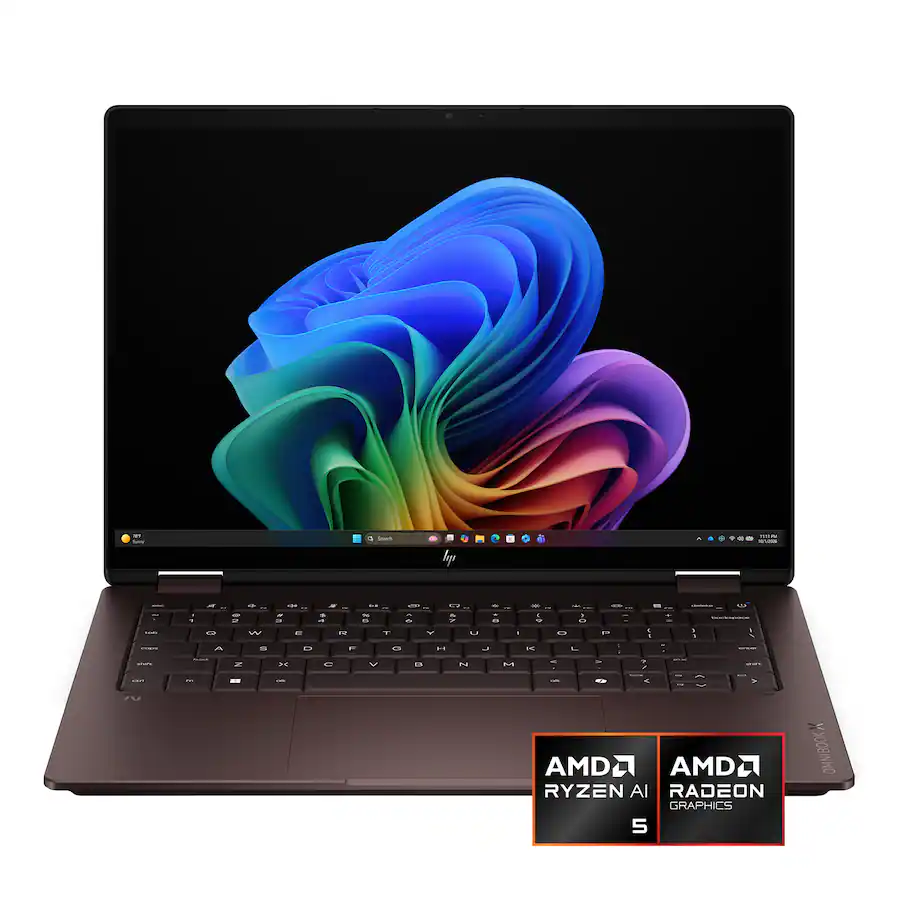
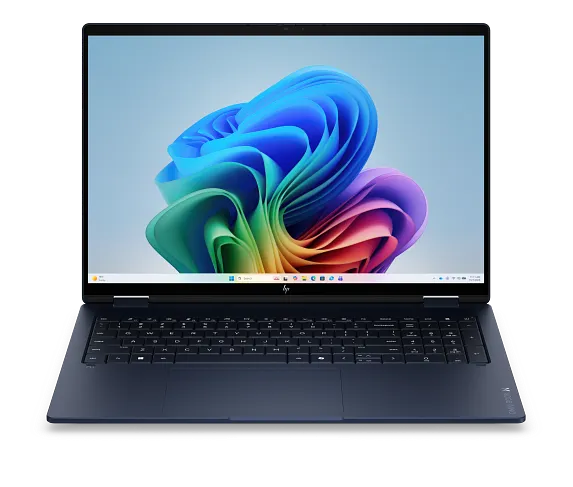
The HP OmniBook X has become one of our favorite affordable Windows laptops, especially when it drops below $1,000. It offers solid build quality, plenty of processor options, and configurations with excellent OLED displays, but choosing the right one can be confusing. HP sells more than 20 configurations ranging from roughly $650 to $2,500, so the key is finding the right combination of display, processor, memory, and storage for your budget.
When Is the OmniBook X a Good Deal?
At full price, the OmniBook X faces strong competition from Lenovo’s Yoga lineup and the MacBook Air, both of which generally feel more premium. The OmniBook has some keyboard deck flex and is heavier than particularly lightweight laptops like the Zenbook A14.
Once prices fall to $800 or less, the OmniBook X becomes much harder to beat. Many laptops in this price range sacrifice either performance or build quality. The OmniBook X generally manages to provide both, which is why it has become one of our go-to recommendations for affordable Windows laptops.
Build Quality and Design
The Intel and AMD OmniBook X models have a modern design with attractive colors and color-matched keyboards. The hinges feel sturdy, and the laptops can be opened with one hand, while the Flip models have even stiffer hinges for tablet and touchscreen use. They don’t feel quite as premium as a MacBook Air or Lenovo Yoga, but that matters less when the OmniBook is heavily discounted.
The Snapdragon OmniBook X uses a noticeably different chassis. It feels slightly sturdier with less keyboard deck flex, but the design looks older and the hinges aren’t as stiff. It also has a different, more limited port selection.
Check the Ports Before You Buy
Most Intel and AMD OmniBook X models have a strong port selection, typically with two USB-C ports, two USB-A ports, HDMI, and a headphone jack. At least one USB-C port generally supports Thunderbolt 4 or USB4, although charging and docking support can vary by model and side.
The Snapdragon version is more limited, with two USB-C ports, one USB-A port, and a headphone jack. There’s no HDMI, and USB-C speeds are limited to 10Gbps rather than USB4 or Thunderbolt 4.
The Keyboard Is Fine, but Yogas Are Better
The OmniBook X keyboards have just 1mm of key travel and can feel slightly mushy due to some deck flex. They’re still comfortable for everyday use, but we prefer Lenovo’s Yoga keyboards. Some 16-inch models and all 17-inch versions also include a number pad.
The mechanical trackpads are consistently good, with smooth tracking and accurate clicks. Snapdragon models have a deeper click that makes them feel slightly cheaper.
Pay Close Attention to the Display
The display is one of the OmniBook X’s biggest advantages, especially when it’s on sale. Many configurations under $1,000 include an OLED display, while similarly priced Yogas often use lower-resolution IPS panels. If possible, we’d choose OLED for its better blacks and colors. If you’re considering an IPS model, look for 100% sRGB coverage to avoid washed-out colors.
Resolution is the other thing to watch. HP calls its 1920x1200 panels “2K,” but they have far fewer pixels than 2.5K or 2.8K displays and can look a little fuzzy on larger 16-inch and 17-inch models. Higher-resolution screens look sharper and can fit more content on screen, but they also cost more and use more battery. If you’re considering a larger OmniBook with a 1920x1200 display, we’d recommend seeing it in person before buying.
Intel, AMD, or Snapdragon?

HP OmniBook X CPU Performance in Cinebench 2026
Processor choice can get confusing, but there are a few simple rules. For the best battery life, look at Snapdragon or Intel Core Ultra models. For better app compatibility and light gaming, we prefer Intel or AMD. Snapdragon uses the ARM version of Windows, which can have compatibility issues with some specialized apps, and the Snapdragon OmniBooks we tested also have more limited ports.
If graphics performance matters most, look for newer Intel X7 or X9 chips with B390 graphics, which can handle demanding games at lower settings. They’re expensive, though, and above roughly $1,500 we’d start considering other laptops. For a more affordable option, older Core Ultra 7 Series 2 V-series chips with Arc 140V graphics offer significantly less graphics performance but can be a much better value.
What Specs Should You Prioritize?
With so many configurations available, we wouldn’t shop based on the OmniBook X name alone. Start with your budget and then compare the processor, display, memory, storage, and screen size of the specific models available.
For most buyers, an OmniBook X under $1,000 with a good Intel or AMD processor and an OLED or high-resolution display is where the lineup becomes particularly compelling. Larger 16-inch and 17-inch models make sense if you value screen space or need a number pad, while the 14-inch models are easier to carry.
Should You Buy the HP OmniBook X?
The OmniBook X is one of the best affordable Windows laptops we’ve tested, especially under $1,000. The Lenovo Yoga 7 is worth paying around $100 more for better build quality and keyboard, while the MacBook Air is more premium and efficient but usually costs more and has fewer ports.
The key is choosing the right OmniBook X configuration. Pay close attention to the processor, display, memory, storage, ports, and sale price, and it can be an excellent value.
Pros
- Powerful CPU performance
- Runs cool and nearly silent in most use cases
- Sturdy chassis with virtually no keyboard deck or screen flex
- Strong battery life at around 10 hours
- Good GPU performance, nearly matching lower-wattage dedicated GPUs
Cons
- Price hiked to nearly $1,900 during the review period, making it poor value
- Low resolution for a 16-inch panel, leading to text looking soft and fuzzy
- Heavy at over 4.5 lbs, more than many gaming laptops
- Noticeable screen door effect and glossy display causing reflections
- Keyboard shifted left for the numpad, making the main keys uncomfortably narrow