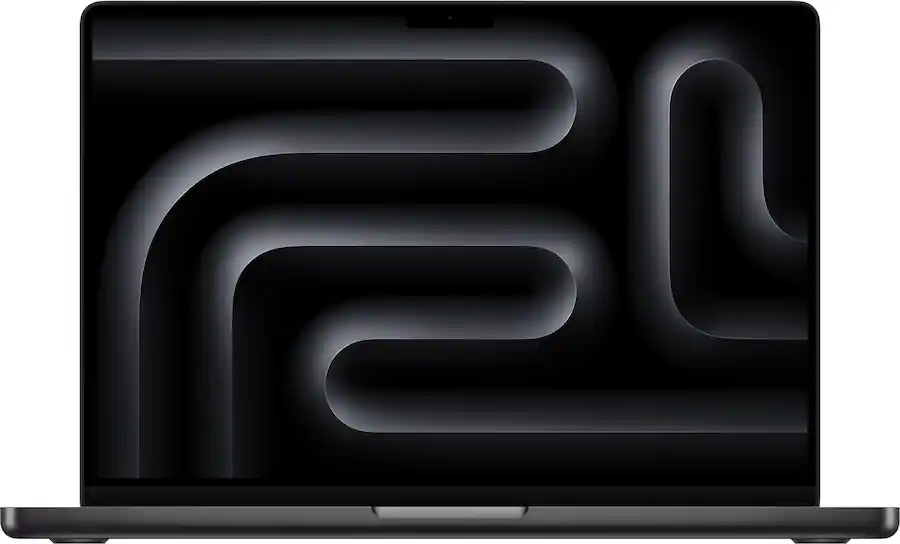
MacBook Pro 14 M6 Review: Which Configuration Should You Buy?
November 25, 2026
|
The MacBook Pro 14 with M6 delivers better performance and battery life, but choosing between 16GB, 24GB, or upgrading to an M5 Pro depends on your workload.
Summary
Our MacBook Pro 14 M6 review compares 16GB and 24GB models, CPU and creative performance, battery life, and whether you should upgrade to an M5 Pro.
Table of contents:
A Worthwhile Upgrade, but Choose CarefullyM6 Performance: More Power for the Same MoneyGraphics Performance: A Welcome Improvement16GB vs 24GB: Does More Memory Matter?Premiere Pro: More Memory HelpsDaVinci Resolve: Extra Memory Matters LessPhotoshop: The M6 Does Exceptionally WellHeat and Fan Noise: Still ExcellentBattery Life: Another Big WinKeyboard: A Small ImprovementConclusion: Who Should Buy the M6 MacBook Pro 14?Students and Everyday ProfessionalsProfessional Video Editors and 3D ArtistsShould You Upgrade From an Older MacBook?Which Configuration Would I Buy?
Apple's new MacBook Pro 14 with M6 delivers better performance, improved battery life, and greater efficiency without increasing its starting price. Upgrading to 24GB of memory also brings noticeable benefits for certain creative workloads. However, professionals doing demanding video editing or 3D rendering should still consider a MacBook Pro with an M5 Pro or Max chip.
A Worthwhile Upgrade, but Choose Carefully
Apple's new MacBook Pro 14 with M6 is really good.
It's faster, lasts longer on battery, and surprisingly for a laptop released in 2026, doesn't cost more than the previous model.
However, after testing both the 16GB and 24GB configurations, there are some important differences worth understanding before buying.
Upgrading the memory can make a noticeable difference, particularly in creative applications. But even with 24GB, the M6 MacBook Pro remains considerably behind the M5 Pro models in many demanding workloads.
So, let's look at what the new chip improves, where additional memory helps, and which configuration I'd actually recommend.
M6 Performance: More Power for the Same Money
The MacBook Pro 14 with M6 uses the same chassis as the previous model.
That means the same design, ports, and external display support. This update is almost entirely about the processor.
Apple has increased the CPU core count from 10 to 12, while boosting maximum clock speeds from 4.6GHz to 4.8GHz.
The result is a meaningful improvement in CPU performance.
In Geekbench 6, the M6 scored 21,280 points in multi-core performance, compared to 17,908 for the M5. That's an increase of approximately 19%.
Single-core performance also improved by around 8%.

The new M6 delivers approximately 19% better multi-core performance than the M5, without increasing the laptop's starting price.
We saw similar improvements in Cinebench 2026, where the M6 achieved a multi-threaded score of 5,424 compared to 4,441 for the M5.
That's an improvement of approximately 22%.
What's particularly impressive is that Apple hasn't needed to increase power consumption to achieve these results.
M6 uses TSMC's newer 2nm manufacturing process, compared to the 3nm process used for M5.
In our Cinebench testing, the M6 averaged 24 watts compared to 26 watts for its predecessor.
Essentially, you're getting considerably more CPU performance while using slightly less power.
Graphics Performance: A Welcome Improvement
Apple has also upgraded the integrated GPU from 10 to 12 cores.
In 3DMark Steel Nomad Light, which runs natively using Apple's Metal graphics API, we recorded a noticeable improvement.
The M6 scored 6,997 points compared to 5,340 for the M5, approximately 31% faster in this comparison.

The M6 delivers a substantial graphics improvement over the M5, although the M5 Pro and Max remain considerably more powerful.
That's a substantial improvement for a processor with only two additional GPU cores.
However, the M6 still falls well behind the more powerful M5 Pro and M5 Max configurations.
So, while it's a welcome upgrade for graphics-intensive tasks, you shouldn't confuse the base M6 with Apple's professional chips.
16GB vs 24GB: Does More Memory Matter?
This is probably the most important buying decision for many people considering the new MacBook Pro.
The standard 16GB configuration retains 153GB/s of memory bandwidth.
However, upgrading to 24GB or more increases that bandwidth to 170GB/s.
To see how much difference this makes, we tested both configurations across several creative applications.
Premiere Pro: More Memory Helps
In PugetBench's Premiere Pro benchmark, the M6 with 16GB scored 71,092 points compared to 64,327 for the older M5.
That's an improvement of approximately 11%.
Upgrading the M6 to 24GB increased its score to 75,647, making it around 18% faster than the M5.

Upgrading the M6 MacBook Pro from 16GB to 24GB improves Premiere Pro performance, but the M5 Pro remains significantly faster.
But here's the important part.
Even with 24GB, the M6 doesn't come close to the M5 Pro, which scored 100,867 points in the same benchmark.
We saw this reflected in real-world video editing, too.
We tested playback using a one-minute section from one of our own Premiere Pro projects.
At full resolution, the M5 and M6 configurations all dropped too many frames for a consistently smooth experience.
Dropping playback to half resolution helped considerably.
The M5 still experienced some stuttering, while the M6 was noticeably smoother. Upgrading to 24GB improved things again.
However, the M5 Pro was in another league.

The M6 provides smoother Premiere Pro playback than the M5, particularly with 24GB of memory, but the M5 Pro performs considerably better.
The differences also appeared when exporting a more complex 10-bit video.
The M5 completed the export in 13 minutes and 11 seconds. The M6 with 16GB reduced that to 12 minutes and 19 seconds, while the 24GB version completed it in 11 minutes and 19 seconds.
The M5 Pro, meanwhile, finished in just 6 minutes and 50 seconds.

More memory helps reduce export times, but the M5 Pro finishes this demanding 4K video export substantially faster.
So, if you only occasionally edit videos, the M6 is certainly usable, especially with 24GB of memory.
But if you're editing professionally, the M5 Pro is a substantially better choice.
DaVinci Resolve: Extra Memory Matters Less
In DaVinci Resolve, the M6 performed approximately 11% better than the M5.
Interestingly, upgrading from 16GB to 24GB made very little difference in this benchmark.
That's a useful reminder that more memory doesn't automatically mean better performance.
It depends on the applications and projects you're working with.
Photoshop: The M6 Does Exceptionally Well
Photoshop tells a very different story.
In PugetBench, the M6 with 16GB performed approximately 27% better than the M5.
Upgrading to 24GB increased that improvement to around 38%.

The M6 excels in Photoshop, with the 24GB configuration delivering approximately 38% better performance than the M5.
This was also one of the few tests where the M6 performed as well as, or better than, the more expensive M5 Pro configurations in our comparison.
For photographers and other users who primarily work in Photoshop, the M6 is a particularly compelling option.
Heat and Fan Noise: Still Excellent
Given that the M6 uses similar or slightly less power than the M5, I expected heat and fan noise to remain comparable.
And for the most part, they do.
Under maximum CPU load, we measured a keyboard temperature of 43°C on the M6, compared to 42°C on the M5.
The underside also remained at a similar temperature.

The M6 remains comfortable under sustained CPU workloads, with surface temperatures nearly identical to the previous generation.
We did notice slightly more fan noise.
The M6 reached 51 decibels during Cinebench, compared to 49 decibels for the older model.

The M6 is slightly louder under maximum CPU load, although fan noise remains minimal during everyday tasks.
That's not a major difference, and during normal use the laptop remains exceptionally quiet.
Unfortunately, our testing software couldn't reliably measure the M6's internal CPU temperatures, so we can't make a direct comparison there.
Battery Life: Another Big Win
Battery life is another area where Apple has made a meaningful improvement.
In our office productivity battery test, with the screen set to 300 nits and Wi-Fi and Bluetooth enabled, the M6 lasted 11 hours and 39 minutes.
The previous M5 managed 9 hours and 59 minutes.
That's an additional 1 hour and 40 minutes of battery life.

The M6 MacBook Pro lasts 11 hours and 39 minutes in our office battery test, an improvement of 1 hour and 40 minutes over the M5.
Interestingly, Apple advertises similar battery life for both generations, despite the efficiency improvements from the M6's newer manufacturing process.
Another positive is that performance doesn't drop when unplugged.
In Cinebench, the M6 scored 5,424 points when plugged in and 5,420 when running on battery. That's effectively identical.
One important note about our battery testing: this particular test runs through Rosetta 2 emulation, meaning MacBooks may be at a disadvantage when compared directly to Windows laptops in our battery charts.
Even with that caveat, the improvement over the previous MacBook Pro is impressive.
Keyboard: A Small Improvement
Apple hasn't officially changed the keyboard, but our testing suggests there may be some subtle differences between models.
We set up several MacBook Pros and conducted blind typing tests with three members of our team.
The MacBook Air felt the shallowest and least comfortable.
The older MacBook Pro with M5 felt slightly better, while the M5 Pro and new M6 models were a little more comfortable again.
The redesigned ProLed MacBook Pro had the best typing experience.
If I were rating them for comfort, I'd give the MacBook Air around 6 out of 10, the M5 Pro 14 around 6.5, the M6 around 7, and the ProLed around 7.5.
However, these differences are small.
Apple advertises the keyboards as essentially the same, so some of what we noticed could simply come down to manufacturing variation between individual units.
I wouldn't buy the M6 specifically for its keyboard, but it was comfortable enough during our testing.
Conclusion: Who Should Buy the M6 MacBook Pro 14?
Overall, I really like the MacBook Pro 14 with M6.
You're getting more performance, better efficiency, and longer battery life without paying more than you would have for the previous model.
That's a welcome change.
However, the configuration you choose depends heavily on what you intend to do.
Students and Everyday Professionals
For students studying programming, film, music, or other subjects that benefit from a more powerful laptop, the M6 MacBook Pro is an excellent option.
It's also a great choice for programmers, musicians, photographers, and professionals with lighter creative workloads.
For these users, the base 16GB configuration may be perfectly sufficient.
However, if you can afford the upgrade, 24GB is a safer choice for multitasking and long-term use.
Professional Video Editors and 3D Artists
If you're regularly editing complex videos or working with demanding 3D projects, I'd recommend stepping up to an M5 Pro or Max configuration.
The difference is substantial.
I've edited plenty of our own YouTube videos on the M6, and it's certainly possible, particularly with 24GB.
However, playback can still stutter, and exports take considerably longer than on an M5 Pro.
The M5 Pro also has a more substantial dual-fan cooling system, allowing it to handle demanding workloads with less fan noise.
For serious professional video editing or 3D rendering, the larger MacBook Pro 16 with a Max chip is an even better choice.
Should You Upgrade From an Older MacBook?
If you're using an M3 MacBook Pro or something older, the M6 is worth considering.
The performance improvements are significant, and you may also benefit from newer features such as an additional Thunderbolt port and improved external display support, depending on your current model.
If you already own an M5 MacBook Pro, however, the improvements probably aren't substantial enough to justify upgrading.
Which Configuration Would I Buy?
For most buyers, I'd recommend the M6 with 24GB of memory if it's comfortably within budget.
But if that upgrade makes the laptop significantly more expensive, consider whether you actually need the additional memory.
For many everyday users, 16GB will be enough.
I'd also choose silver over Space Black. Both Tony and I have used Space Black MacBooks, and scratches and scuffs are considerably more noticeable on the darker finish.
Finally, don't assume buying directly from Apple is the best option.
Retailers like Best Buy frequently discount MacBooks, and those discounts can make a substantial difference to the final price.