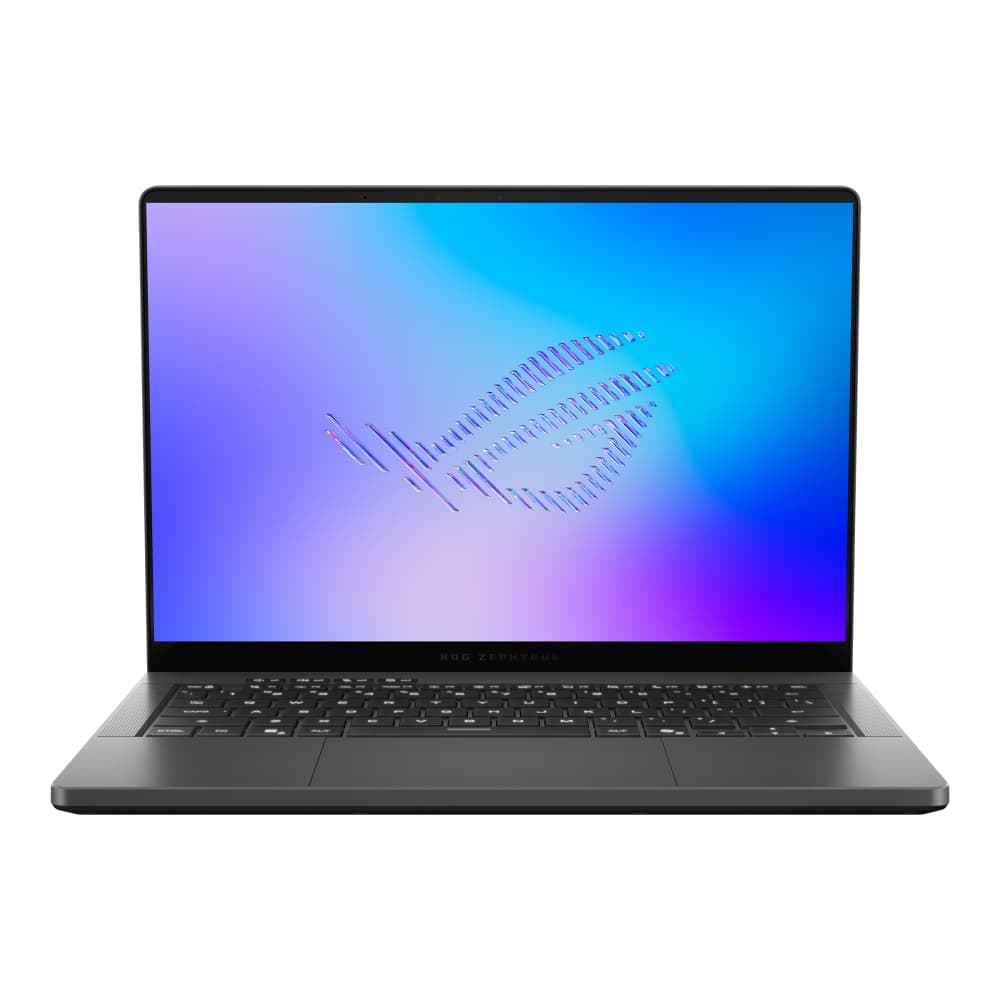
The original Zephyrus G14 from 2020 felt like a breakthrough. It delivered excellent performance, great battery life, and a compact 14-inch design at a time when that combination was still rare. Over the years, the G14 became smaller and more powerful, but that came with compromises. More power meant more heat, more fan noise, and worse battery life.
This new G14 reverses that trend. Battery life is dramatically better, the chassis runs much cooler under load, and performance is still excellent for such a small laptop. The star of the show is Intel’s new Panther Lake CPU, which allows the G14 to perform well at lower wattages. That matters a lot in a compact gaming laptop, because lower power draw means less heat and more thermal headroom for the GPU.
As a result this 14-inch laptop can handle real work on battery during the day, then plug in and become a very capable gaming machine at night. The only major issue is the $3,600 starting price for the configuration we tested. That is simply too high for us to recommend right now. But as a laptop, ignoring price for a moment, this is easily one of the most impressive compact gaming machines we’ve seen.
Intel’s Panther Lake chip is the biggest change this year, and it makes a strong first impression. In Geekbench, which measures a broad mix of common CPU tasks, the new G14 edges out last year’s Ryzen AI 9 HX 370 model. If you want the absolute highest CPU performance in this size range, Apple’s 18-core M5 Pro still leads, but the G14 performs very well for a Windows gaming laptop this small.

Max CPU Performance - Cinebench 2026 Single Run
In Cinebench, which pushes every CPU core to its limit, the G14 ties last year’s model. That may not sound exciting at first, but the efficiency improvement is the real story. It delivers similar performance while using 13 watts less power. That leads directly to better thermals: the CPU runs around 8 degrees cooler than last year’s Ryzen model, while the keyboard deck is almost 10 degrees cooler, with fan noise remaining about the same.

Timespy - CPU and GPU Benchmark, Higher Score is Better.
Graphics performance also improves. The RTX 5070 Ti is not new to the G14, but this year ASUS gives it a 10-watt power bump. In TimeSpy, the new model pulls ahead of last year’s version in both CPU and GPU scores. It even gets surprisingly close to the much larger Strix G16 with a higher-wattage RTX 5070 Ti.
The most impressive result is in combined workloads. In these tests, the GPU usually gets priority, leaving the CPU with less power. Panther Lake performs very well in that situation. The G14 shows a 60% increase in CPU performance over last year’s model in a combined workload, even beating the much larger Strix G16 with AMD’s 9955HX3D.
Gaming
For gaming, the G14 performs exactly how we hoped a premium 14-inch gaming laptop would. In Marvel Rivals at High settings, it beats last year’s G14 in both average FPS and 1% lows, even passing 100 FPS. In Cyberpunk 2077 at Ultra settings with ray tracing off, it gets close to 100 FPS and shows a big improvement in 1% lows again.

Marvel Rivals Benchmark: Upscaling & Frame Gen off.
Interestingly, in Cyberpunk, the G14 performs about as well as the much larger Strix G16. That remains true when using 2x frame generation. In Forza Horizon 5, the G14 reaches 123 FPS, which is more than enough for a smooth experience.

Cyberpunk 2077 Benchmark - Upscaling: Balanced & Frame Gen On.
The bigger takeaway is that the G14 no longer feels like a compact gaming laptop making obvious sacrifices. It still cannot match a larger RTX 5080 machine like the Legion Pro 7i, but for a 14-inch laptop, the performance is excellent.
Creative Applications
The G14 is not just for gaming. It is also a strong option for creators who want a portable Windows laptop with serious GPU performance.

Pudget Benchmark Premiere Pro 2.0.
In PugetBench for Premiere Pro, the G14 essentially ties the larger Strix G16. It is only beaten by the Legion Pro 7i with an RTX 5080 and the MacBook Pro 14 with Apple’s M5 Max chip. That MacBook has more GPU cores and an additional media engine, which helps a lot in creative workloads, but it also sits in the same general price territory as this G14 configuration.
DaVinci Resolve results are even better. The G14 beats the Strix G16 and only trails the Legion Pro 7i and the M5 Max MacBook Pro. Premiere Pro export times also look strong, with the G14 again tying the Strix G16.
For Blender, the RTX 5070 Ti performs very well. It cuts render times roughly in half compared to an RTX 5060 laptop, though it still falls well behind the Legion Pro 7i with an RTX 5080.

Blender 4.2.3 Splash Screen Render Benchmark.
Heat & Fan Noise
Thermals are the biggest improvement this year. Previous G14 models could get very warm, even during light use. The 2023 model in particular felt like a little furnace, and last year’s model still got quite toasty in games.
This year’s model is a major step forward. In Forza Horizon 5 testing, the new G14 ran 7 degrees cooler than last year’s model in Turbo mode with nearly the same fan noise. In Performance mode, it was still 5 degrees cooler and 3 decibels quieter than last year’s version. In person, that difference is easy to notice.

Forza Horizon 5 Benchmark
ASUS’ Manual fan controls also offer useful flexibility. You can choose whether you want lower fan noise or lower surface temperatures, rather than being limited to preset performance modes.
There is one important caveat: only the RTX 5070 Ti and higher configurations are slightly thicker and include the vapor chamber cooling solution. That is the version we tested. Lower-end SKUs may run hotter, but we have not tested them, so we cannot say for sure.
Linux Support
Linux support is mixed. Ubuntu 26 booted successfully, but only when the laptop was set to iGPU-only mode before booting. If the Nvidia GPU was active, even in hybrid mode, the laptop showed a black screen.
Once in Ubuntu, Wi-Fi, Bluetooth, webcam, microphone, speakers, keyboard, and trackpad all worked. Keyboard backlight controls also worked, but display brightness controls did not.
Fedora 44 did not go as well. The laptop showed a black screen before entering the OS, regardless of whether it was set to iGPU-only mode or hybrid mode. Linux users should be cautious here, especially if they want everything working cleanly out of the box.
Battery Life
Battery life is one of the best parts of this new G14. In real-world writing and research use, it lost roughly 10% battery per hour. That was in Silent mode in Armoury Crate, iGPU mode, with Windows set to Power Efficiency, and brightness between 50% and 80%.

Battery Rundown Test - Office Tasks.
For light work, around eight hours of real-world use seems realistic. In the Procyon office battery benchmark, the G14 lasted over 10 hours, which is around three hours longer than last year’s Ryzen model.

Performance remains strong when unplugged.
There is some important context, though. The G14 can retain strong CPU performance on battery, but it will not deliver full Nvidia GPU performance unplugged. Battery life will also drop sharply if you use the dedicated GPU. MacBooks remain better for sustained performance on battery, especially as workloads get heavier.
Build Quality, Keyboard & Features
The G14 feels like a cohesive laptop. It has a solid unibody construction, opens with one hand, and feels premium without being overly flashy.
The keyboard is also very good. It has 1.7mm of key travel, a quiet typing sound, and a comfortable layout. While not on the level of ThinkPad laptops, it is still one of the better keyboards we’ve tried on a compact gaming laptop.
ASUS also refined the light strip on the lid, with the LEDs now sitting behind the finish rather than inside visible cutouts, leading to a cleaner look when lights are off.
Creators also get a meaningful upgrade: a UHS-II SD card slot on the 14-inch model. In testing, it delivered over 250 MB/s read speeds from one of our cards. That makes this laptop more practical for photographers, video editors, and creators who want a portable machine that can also game.
The speakers are excellent. They have strong stereo separation, crisp highs, and more bass than expected from a laptop this size. Because the system uses both upward- and downward-firing speakers, clarity can drop a little when the laptop is on your lap.
Wi-Fi also gets a major upgrade. This year’s model includes one of the faster 320MHz Wi-Fi 7 cards, compared with a 160MHz card last year, leading to very fast local transfers in the right setup.
What are the Cons?
The main hardware downside is the trackpad. It tracks accurately and is not bad overall, but ASUS continues to use a stiff mechanical click. It takes just enough force to notice, and over time it can feel fatiguing.
Our unit also had a very slight trackpad rattle. It was minor enough to be passable, but ASUS has had this issue across multiple laptops for years. A haptic trackpad would solve both problems. On a laptop this expensive, it is fair to expect one.
Conclusion
This is the best Zephyrus G14 we’ve seen in years. It brings back the magic of the original model: compact size, strong performance, great battery life, and a premium feel. The difference is that this version also runs much cooler under load, thanks largely to Intel’s new Panther Lake CPU.
For gaming, it punches well above its weight. For creator workloads, it can compete with larger Windows laptops. For light work, it can realistically last a full workday. As a total package, this is probably the best 14-inch gaming laptop we’ve tested.
But the $3,600 price is the problem. At that price, it is very hard to recommend, especially when larger and faster gaming laptops can cost the same or less. If the G14 drops significantly in price, it becomes much easier to get excited about. Until then, this is an incredible laptop trapped behind an unreasonable MSRP.
Pros
- Much cooler than previous G14 models under load
- Strong battery life for a gaming laptop
- Good gaming performance in a 14-inch laptop
- UHS-II SD card slot is great for content creators
Cons
- Extremely expensive.
- No haptic trackpad, which feels like a miss at this price
- Vapor chamber cooling is restricted to high-end configurations.