Lenovo Yoga Ecosystem: One Month Later
September 3, 2026
|
Lenovo Yoga Ecosystem: Hidden Gems for Your Desk Setup
Summary
Lenovo sponsored our original video and sent us its latest Yoga accessories to try alongside the Yoga Pro 9i.
September 3, 2026
|Lenovo Yoga Ecosystem: Hidden Gems for Your Desk Setup
Lenovo sponsored our original video and sent us its latest Yoga accessories to try alongside the Yoga Pro 9i.
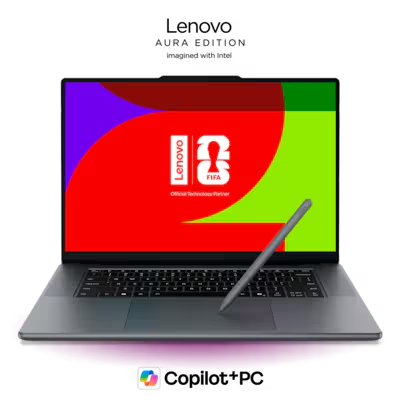
16 Inches | 1 TB | 64 GB | Core Ultra 9 386H | RTX 5070 (12GB)
We don't typically do sponsored laptop reviews, but these accessories are products laptop buyers may genuinely consider. After using the monitor, headphones, and mouse for about a month with several different laptops, we came away pretty pleased overall.
The Yoga Pro monitor is an excellent 4K OLED with some genuinely useful extras, but it's expensive. The Yoga headphones offer a compelling alternative to Bose QuietComfort headphones, while the Bluetooth mouse is simple, affordable, and easy to use across multiple computers. You also don't need a Yoga laptop to get most of their benefits.
The Yoga Pro monitor was the product I was most excited to try. It's a 26.5-inch 4K OLED with a 120Hz refresh rate, and it looks excellent. The display is bright, crisp, vibrant, and was well calibrated out of the box. Colors also matched closely with the Yoga Pro 9i, which makes moving between the two displays feel much more seamless.
That color matching feature is exclusive to the Yoga Pro 9i, but its good color profiles still match well to some other OLED laptops. I used the monitor with a Framework 13 Pro with an OLED display, and the differences were pretty minor. The monitor also supports G-Sync and FreeSync, which is a nice addition if you plan to game on it.
My first issue was the included stand. It wasn't tall enough for my setup, where I like to position my laptop directly below my monitor. Thankfully, switching to my existing VESA arm was incredibly easy, and Lenovo includes the necessary VESA bracket.
Yoga Pro (27UD-10) 27-inch QD-OLED 4K 120Hz Webcam Monitor
The monitor is expensive, but Lenovo has packed in features you won't find on every 4K OLED. One of the most interesting is the included 4K webcam, which attaches to the top of the display and supports both a traditional camera angle and a top-down view. That second mode could be particularly useful for artists, teachers, or anyone who needs to show what's happening on their desk.
Connectivity is another major strength. The Thunderbolt connection supports up to 40Gbps speeds and up to 140W of power delivery, allowing the monitor to act almost like a dock. There are also two additional USB-C ports, two USB-A ports with up to 10Gbps speeds, HDMI, DisplayPort in, and DisplayPort out for daisy chaining.
The 140W charging support is still somewhat limiting. The Yoga Pro 9i, for example, has a 245W stock charger. During demanding tasks like gaming or video editing, you'll still want to use its included charger to prevent the battery from draining.
Still, I've really enjoyed having a clean, single-cable desk setup instead of using a separate dock. The biggest missing connection for me is Ethernet, but the monitor should cover most people's everyday peripherals.
Lenovo also designed the monitor to work with the Yoga Pro 9i's speakers. Together, the laptop and monitor have 12 speakers, and the system is supposed to intelligently distribute different frequencies between them.
It certainly gets loud, and music has noticeably more bass and sounds more immersive. Unfortunately, the implementation isn't as flexible as we'd like. If your laptop sits beside the monitor instead of directly underneath it, you can't properly configure the system around left and right channels. We would have liked an option similar to a 3.1 speaker configuration.
Voices can also sound slightly echoey, almost as if the same person was speaking twice. Ultimately, the combined speaker system isn't a reason we'd buy this monitor. Most of the time, I preferred using the Yoga headphones instead. Which brings me to the...
These were probably the easiest accessory to add to my everyday setup. They're padded Bluetooth headphones with active noise cancellation, and their design, fit, and sound remind me a lot of the Bose QuietComfort headphones I use at home.
That's not entirely surprising. Bose helped tune the audio, although the headphones themselves are manufactured by Lenovo. They sound clear with a spacious soundstage, and I found them comfortable enough to wear throughout a full workday. The soft-touch finish also makes them feel surprisingly premium.
You get touch controls on the right earcup for volume, playback, skipping tracks, and switching between connected devices. There's also a high-fidelity wired mode that still supports active noise cancellation.
My biggest complaint with our early unit was figuring out whether the headphones were actually turned off. There wasn't an obvious indicator light, and I occasionally left them running, which may explain why I found myself charging them a couple of times per week. Lenovo told us the final product will have improved LED indicators, so this issue may be addressed on retail units.
If they're priced below comparable Bose QuietComfort headphones, we think they make a lot of sense.
The Yoga mouse isn't particularly exciting to look at, but it works well and is reasonably priced. My favorite feature is support for three Bluetooth pairings, which makes switching between computers quick and easy. The soft-touch coating also feels great, and you get a DPI button, two programmable side buttons, and a metallic scroll wheel with middle click.
Ergonomics will come down to personal preference. The mouse is fairly long but not as tall as the mice Josh and I normally use, and I would have liked an infinite scroll wheel. It also uses a single AA battery rather than being rechargeable, although I personally like the added weight. For the price, it's a solid Bluetooth mouse, especially if you regularly switch between multiple computers.
Yoga Bluetooth Silent Mouse:
The Yoga Pro monitor is the standout technically. It's an excellent 4K OLED with a high-quality webcam, plenty of connectivity, and the ability to simplify your desk setup. It's also expensive, so we'd be much more interested if you can find it on sale.
The Yoga headphones are easier to recommend at the right price. They sound good, feel premium, and compare favorably with my Bose QuietComfort headphones. If they're cheaper than the equivalent Bose model, they're an easy alternative to consider.
The mouse is the simplest product here, but that's not necessarily a bad thing. It's affordable, feels nice, and its three-device Bluetooth support is genuinely useful.
However, we wouldn't buy all three just because they're part of the Yoga ecosystem. They don't share a particularly cohesive design, and most of their best features work perfectly well with laptops from other brands. We'd like to see Lenovo add more integration and a stronger visual identity in the future, but for now, we'd evaluate each accessory individually. If the price makes sense for the features you need, there are some genuinely good products here.
16 Inches | 1 TB | 64 GB | Core Ultra 9 386H | RTX 5070 (12GB)