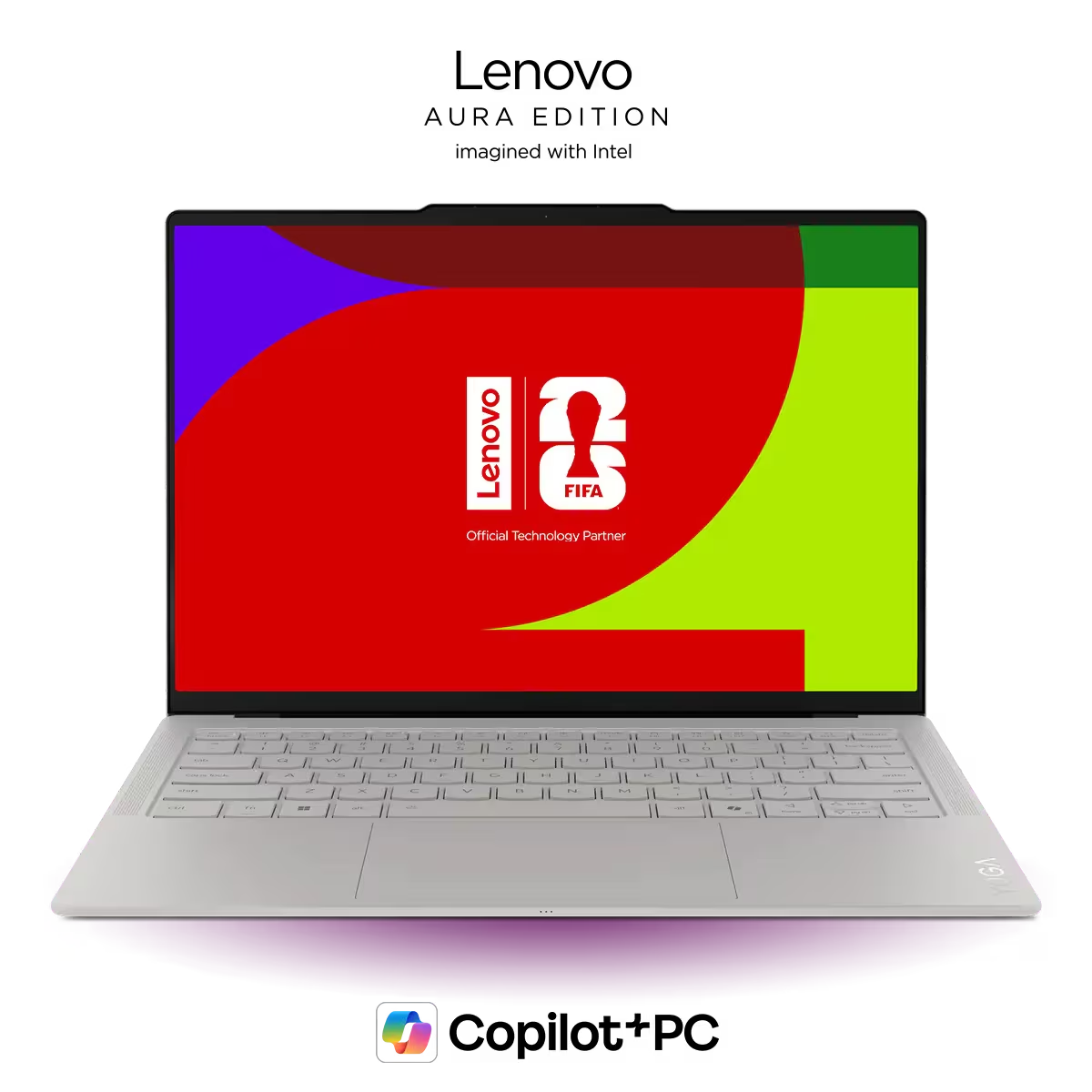
Lenovo’s Yoga Slim 7i Ultra is one of the nicest thin and light laptops we’ve tested recently. It is sleek, extremely light, beautifully built, and has an excellent OLED display, a great keyboard, a responsive haptic trackpad, and very strong battery life.
For light users, the base Intel Core Ultra Series 3 model we tested is already good enough. It feels fast in normal use, stays quiet, and does not get warm during everyday work. It is also one of the rare Windows laptops that feels like a real MacBook Air alternative, and in a few important ways, it may actually be better.
But for programmers or light creators. the more powerful “X” chip version is the one we would look for. In that price point, the MacBook Pro may provide a better value for you, depending on what you do.
The main everyday downside is the limited port selection. Upgradeability and Linux support are also weak, but those will matter less for the light-use buyer this laptop is clearly targeting. It is also expensive, so we would strongly recommend waiting for a sale.
Design and Build
The Yoga Slim 7i Ultra immediately feels premium. Lenovo has covered the entire chassis in a smooth soft-touch coating, similar to what it uses on many of its keyboards. It gives the laptop a luxurious feel that makes it stand out from most thin and light Windows laptops.
It is also shockingly light. At under 1 kg, it is lighter than many 13-inch laptops despite having a larger 14-inch display. Build quality is still excellent, with minimal flex in the keyboard deck and lid. The hinge is stiff enough to avoid wobbling around, but the laptop still opens easily with one hand.
Our unit came in Lenovo’s Seashell color, which is a creamy off-white. It looks clean and elegant, though the white keyboard backlight can be hard to see against the white keys. There is also some backlight bleed around the keys, making the issue worse in certain lighting.
If this bothers you, the Mystic Violet or Cosmic Blue versions may be worth waiting for, since darker keycaps should make the backlight easier to see.
Keyboard and Trackpad
The keyboard is excellent.
It has 1.5mm of key travel, which is generous for a laptop this thin, and the keys feel clicky without being loud. The layout is clean and standard, with enough space between keys to avoid frequent mistakes. The up and down arrows are smaller, but they fit the design well and did not cause major issues.
Compared to the MacBook Air, the typing experience is arguably better. The keys have more travel and feel more satisfying for long writing sessions. The MacBook Air still has better keyboard backlighting and an inverted-T arrow key layout, but Lenovo’s keyboard is one of the best we have used on a premium ultraportable.
The trackpad is also very good. It is a haptic trackpad, which we are glad to see becoming more common on premium Lenovo laptops. Tracking feels accurate, clicks are consistent, and palm rejection worked well in our testing.
Display
The display is one of the Yoga Slim 7i Ultra’s biggest strengths.
It is a 14-inch OLED panel with a 2880 x 1800 resolution, up to a 120Hz refresh rate, over 500 nits of brightness, and strong color accuracy. Text looks extremely sharp, motion feels smooth, and we did not notice screen door effect or PWM flickering.
For writing, coding, spreadsheets, and general productivity, this screen is fantastic. It is also a clear advantage over the MacBook Air’s 60Hz IPS display, especially if you care about sharp text, OLED contrast, or smoother scrolling.
The only downside is the glossy finish. In bright environments, especially outdoors or near windows, reflections can be distracting even at full brightness.
Ports
Ports are limited, and this is one of the laptop’s more obvious compromises.
The good news is that Lenovo includes a charging-capable Thunderbolt 4 port on both sides. That is more convenient than laptops like the MacBook Air or Surface Laptop 13, which only charge from one side.
The bad news is that there is no headphone jack, no USB-A port, and no HDMI 2.1. Since the laptop charges over USB-C, you are also effectively down to two available ports when plugged in.
Battery Life

Battery Rundown - Office Tasks
Battery life is very strong.
The Yoga Slim 7i Ultra has a large battery for its size and weight, and it uses it well. It outlasts the prior generation Slim 7i with Intel’s older Series 2 V chips, which is impressive because this new model has a higher-resolution OLED display.
It also lasts longer than both MacBooks commonly found around this price range.
The Dell XPS 14 does better in our testing, but that laptop has a lower-resolution display and some impressive battery optimization. Overall, the Slim 7i Ultra still lands among the better thin and light laptops for battery life.
Our unit also did not lose performance when unplugged, though this base chip is not a high-performance part to begin with.

Max CPU Performance - Cinebench 2026 Single Run
For everyday use, the base Intel Core Ultra Series 3 chip is enough.
During normal work with multiple browser tabs, Excel sheets, PowerPoints, and an external monitor connected, the laptop felt snappy. It also stayed quiet and cool the entire time. For browsing, writing, research, office work, and light multitasking, this model is completely fine.
That said, the base chip is not exciting in benchmarks. It is an 8-core processor and does not perform much better than last year’s Intel Lunar Lake chips. In some areas, last year’s models are actually more compelling because they are now cheaper and can offer better graphics performance.
The more interesting version of this laptop is the one with Intel’s “X” chips. Those have 16 CPU cores and a much stronger integrated GPU. Based on similar laptops we have tested, that version should be much better for programmers, light creators, and people who want a bit more performance headroom.
Heat and Fan Noise
In everyday use, the Yoga Slim 7i Ultra is excellent. It stayed cool and nearly silent during normal productivity work, even in its best performance mode.
Under a heavier 10-minute stress test, it still stayed within what we consider cool to the touch. Fan noise did increase, but it remained under control and was not as distracting as a typical performance laptop.
The base model’s graphics are not a highlight.
The lower-end Intel graphics in our Slim 7i Ultra have only 4 GPU cores. The higher-end X chips use Intel Arc B390 graphics with 12 GPU cores, which perform much better.
That matters if you want to do light gaming, entry-level creative work, or GPU-accelerated tasks. In our testing with similar X chip laptops, the stronger integrated graphics make a big difference.
This is also where last year’s Lunar Lake laptops remain worth considering. Their graphics can outperform this base Series 3 chip, and those laptops are often much cheaper now.
So, if graphics performance matters at all, skip the base model and look for the X version.
Speakers
The speakers are good for a thin and light laptop.
Two upward-firing speakers help with volume, and the bass is decent. They are not at MacBook or XPS levels, but they are better than most Windows laptops in this class.
The lack of a headphone jack does make speaker and Bluetooth performance more important than usual, so it is good that Lenovo did not completely cheap out here.
Upgradeability and Linux
This is not a laptop built for DIY upgrades. Memory is soldered, and while the SSD is technically replaceable, it is a shorter M.2 2242 drive and not easy to access.
Linux support also was not promising in our testing. Fedora 43 would not boot from our USB drive, even with Secure Boot disabled.
For most buyers, neither issue will be a dealbreaker. This laptop is clearly aimed at people who want a polished, premium Windows ultraportable, not a repairable workstation or Linux machine. Still, power users should know these limitations going in.
How It Compares to the MacBook Air
The Yoga Slim 7i Ultra is one of the strongest Windows alternatives to the MacBook Air.
Lenovo wins on display quality, refresh rate, keyboard feel, charging flexibility, and, in our testing, battery life. You get a sharper OLED screen, smoother 120Hz motion, a more satisfying keyboard, and charging-capable USB-C ports on both sides.
The MacBook Air still has real advantages. Every model gets Apple’s stronger M-series chip, while the base Yoga Slim 7i Ultra uses a less exciting Intel processor. The Air also has a headphone jack, MagSafe charging, better keyboard backlighting, and the broader polish of Apple’s ecosystem.
So this is not a clean sweep either way. But for light users who want Windows, a premium feel, and a better display than the Air, the Yoga Slim 7i Ultra is genuinely compelling.
Conclusion
The Lenovo Yoga Slim 7i Ultra is light, premium-feeling, and excellent for the kind of person it is clearly built for. It has a beautiful OLED display, a great keyboard, a strong haptic trackpad, quiet everyday performance, and excellent battery life.
For light users, the base model is already a great experience. If you want more headroom for coding, light creative work, or casual gaming, the X chip version is the one we would wait for.
The main real-world downside is the port selection. There is no USB-A, no HDMI, and no headphone jack, so many people will need a dock or adapter. Upgradeability is poor and Linux did not work in our testing, but those are more niche concerns for this type of buyer.
If you want a premium Windows alternative to the MacBook Air, this is one of the strongest options we have seen. Just make sure you get the right chip for your workload, and keep an eye out for a sale.
Pros
- Extremely light for a 14-inch laptop.
- Accurate and responsive trackpad with good palm rejection.
- Beautiful, high resolution OLED display with 120Hz refresh rate and over 500 nits in brightness.
- Very long battery life
Cons
- Only three Thunderbolt 4 / USB-C ports; one will be used for charging
- Thunderbolt 4, not Thunderbolt 5
- No 3.5 mm headphone jack
- White keyboard backlight on a white keyboard (with the Seashell color option) makes it harder to see the keys.