Apple’s new MacBook Neo has generated a wave of hype, especially across YouTube. But once you strip away the excitement, what you’re left with is a device that’s both intriguing and polarizing. It introduces a more affordable MacBook experience, but not without compromises.
Summary: A Disruptive but Risky Entry-Level MacBook
The MacBook Neo represents a shift in Apple’s strategy. It delivers a more complete, premium-feeling experience than most budget laptops—but its limitations make it a risky long-term investment for many users.
If your workload is strictly light web browsing, document editing, and media consumption, it can definitely be a viable option. However, if you can find a discounted M3 or M4 MacBook Air or a stronger performing Windows alternative, those are often better buys.
Pros
- Looks great
- Fantastic value
- Built very well, feels premium
- Very good display for the price
- Good speakers
- Excellent trackpad
- No fan noise, as it is fanless
- The chassis stays cool even under load.
Cons
- Very basic performance only. A18 Pro chip and 8GB
- No keyboard backlight
- Fingerprint sensor only available in more expensive model
- Ports are lacking, only 2 USB C and a headphone jack. One port is very slow
- Battery life is not that long due to its small battery
- Storage is limited and slow for a modern laptop
Design and Build: Premium Feel with Minor Flaws
One of the Neo’s biggest strengths is its design. It looks and feels like a proper MacBook, with a sturdy chassis, rigid lid, and a clean aesthetic available in multiple color options.
Compared to budget Windows laptops like the Acer Aspire 14, the Neo feels significantly more premium in hand. However, it’s not perfect:
- Display bezels are thicker than higher-end models
- The front edge can feel sharp on the wrists
Despite these quirks, build quality remains a standout at this price point.
Display: Sharp and Bright, But Basic
The Neo’s IPS display delivers a solid experience for everyday use:
- High pixel density (219 PPI) for crisp text
- Brightness exceeding 500 nits
- Minimal backlight bleed
However, there are trade-offs:
- 60Hz refresh rate
- Limited color gamut (not ideal for creative work)
- No touch support
Compared to many Windows competitors, it’s still a better-than-average panel. One of the better options you can get in this price range.
Keyboard and Trackpad: Surprisingly Strong
Typing on the Neo is a pleasant surprise. The keyboard offers a bit more comfort than recent MacBook Air models, with quiet, satisfying key presses.
That said, there are notable omissions:
- No keyboard backlight
- No fingerprint reader on base models
The trackpad, on the other hand, is excellent. It delivers consistent click feedback across the surface, outperforming most Windows laptops in this category.
Ports: A Major Weak Point
Port selection is one of the Neo’s most frustrating aspects:
- Only two USB-C ports
- One limited to very slow USB 2 speeds
- Both ports located on the same side
Compatibility can also be inconsistent with docks and external displays, requiring trial and error to get the best setup.
The Neo is powered by a cut-down mobile chip derived from Apple’s iPhone silicon. For light tasks, performance is generally acceptable:
- Web browsing and office work feel responsive
- Silent, fanless operation
- Cool temperatures under load
However, limitations quickly appear:
- Occasional stuttering under multitasking
- Weak multi-core performance
- Very poor GPU performance compared to competitors
More demanding workloads like video editing, programming, or 3D work push the Neo beyond its limits. Even light creative tasks can result in slowdowns and memory pressure due to its 8GB RAM and slow storage.
Battery Life: Below Expectations
Battery life is another disappointment. In testing, the Neo lasted around 6 hours under realistic workloads— well below what users expect from modern laptops.
This puts it behind alternatives like the Microsoft Surface Laptop 7 13, which delivers noticeably better endurance.
Best Alternatives to the MacBook Neo
If you’re considering the Neo, it’s essential to compare it with other options in the same price range.
1. MacBook Air (M3 / M4)
If you can find a deal on a refurbished MacBook Air 13 M3, it’s a significantly better choice:
- Much stronger performance
- Better battery life
- More future-proof
For most users, this is the safest upgrade over the Neo.
2. Microsoft Surface Laptop 7
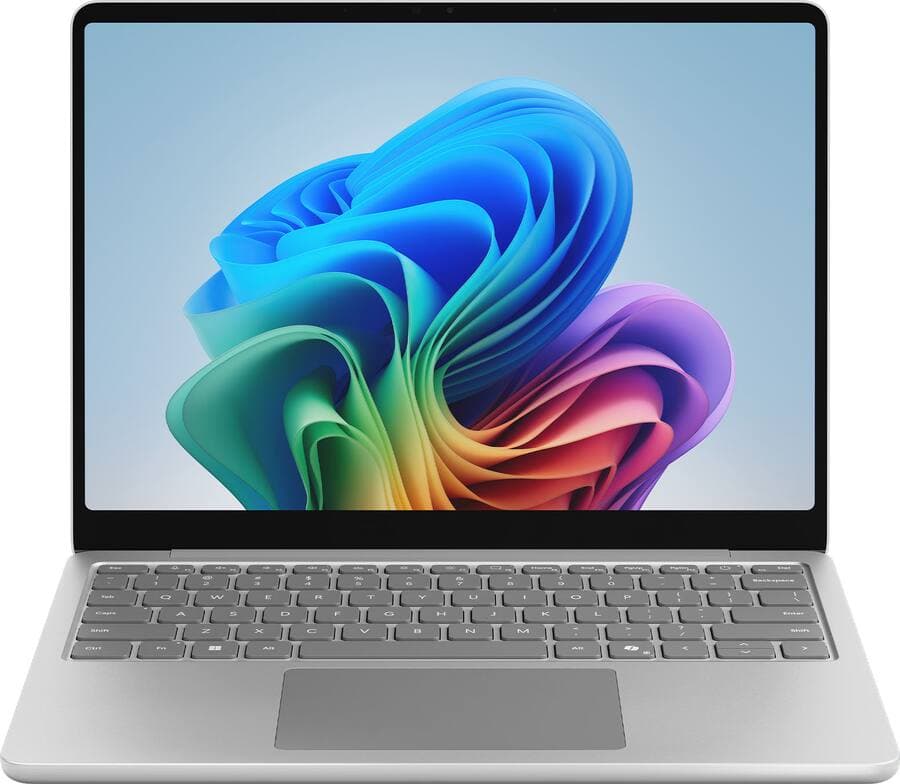
The Microsoft Surface Laptop 7 13 is the closest Windows equivalent:
- Premium design and build
- Excellent keyboard and trackpad
- Better battery life and performance
The main downside is app compatibility due to its ARM-based processor—but for light users, this is rarely an issue.
Pros
- Fun color options
- Comfortable keyboard
- Great battery life
Cons
- Sometimes more expensive than the much nicer Surface Laptop 7 line
- Poor port selection, only 2 USB-C
3. Acer Aspire 14 (and Similar Budget Windows Laptops)
The Acer Aspire 14 and similar devices offer:
- Better multi-core and GPU performance
- More RAM and storage for the price
However, they sacrifice build quality and overall user experience.
Pros
- Decent port selection
- Very affordable and gives you decent specs for it's price below $600
- Battery life is quite good.
Cons
- Bland and basic laptop.
- Chassis feels a bit cheap and has quite a bit of flex on the keyboard.
- Screen colors are way off.
Final Verdict: Who Should Buy the Neo?
The MacBook Neo is best suited for a very specific type of user:
- You only perform light tasks
- You value build quality and design
- You’re on a strict budget and want macOS
For everyone else, it’s a risky purchase. The limited performance and low memory make it hard to recommend as a long-term device.
If you can stretch your budget, or find a deal on a higher-end laptop, you’ll likely get far better value and a device that lasts significantly longer.